
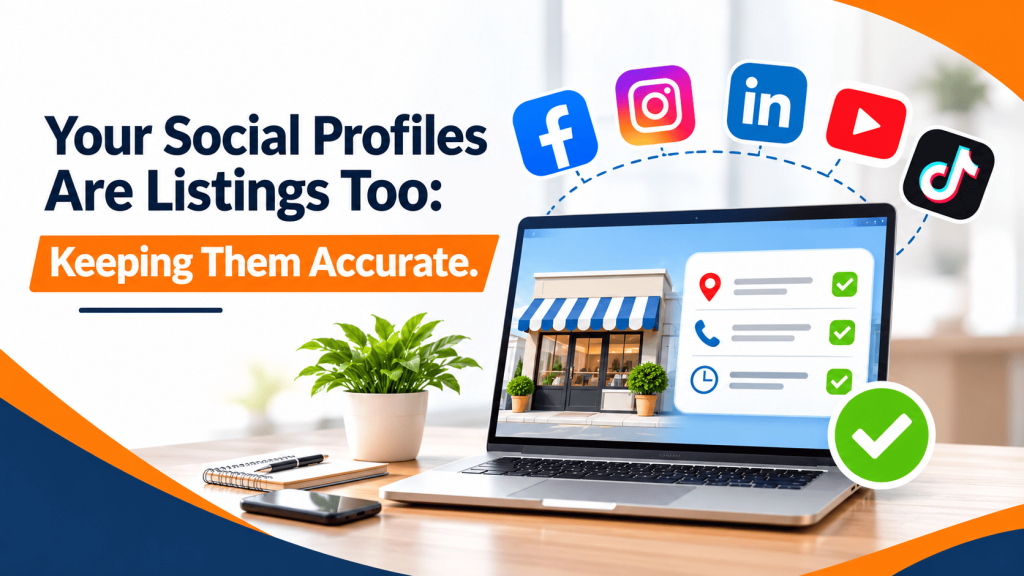
Many owners think of social media only as a place to post updates. But a Facebook page, Instagram bio, LinkedIn company page, or YouTube channel also displays your business name, location, contact details, and hours. Customers treat that information as official.
When those profiles drift out of sync with your other listings, they quietly create confusion.
Audit the “About” Sections
Open each social profile and review its about or info section. Check the business name, category, address, phone number, website link, hours, and description. Older profiles, especially ones created years ago and rarely used, often hold outdated phone numbers or a former address.
If you have abandoned accounts, either update them or close them. An inactive page with wrong information can still appear in search results for your business name.
Pay special attention to platforms where you once created a profile for a single purpose, such as a business review site you joined years ago or a video channel used for one project. These forgotten profiles often hold an old phone number or address, and customers who find them have no way of knowing the information is outdated.
Keep Bios Consistent but Native
Each platform has a different style and character limit. Your Instagram bio will be shorter than your LinkedIn description. That is fine. What matters is that core facts match your website and listings, and that the profile clearly represents the same business.
Technology and communications companies often manage many channels at once. Firms listed in the Communication and Technology category on LinkTrendz can use a shared document of approved business details so every social profile and directory entry pulls from the same source.
Link Profiles Together
Link to your official social profiles from your website footer, and link back to your website from each profile. Some platforms, such as Google Business Profile, also let you add social links. These connections help customers confirm they have found the genuine account.
Use the same profile image or logo across platforms so people recognize you instantly.
Conclusion
Social profiles are part of your business’s public record. Audit them like any other listing, keep the essentials consistent, and connect them to your website. Combined with accurate entries in directories such as LinkTrendz, consistent social profiles make it easy for customers to confirm they are dealing with the real business.
Frequently Asked Questions
Should I list my address on social media?
If customers visit your location, yes, and it should match your other listings exactly. If you work from home or serve customers at their locations, list your city or service area instead. Consistency with your Google Business Profile and directories is the main goal.
What should I do with an old social account I no longer use?
Either update it with accurate information and a note directing people to your active channels, or close it if you no longer have a reason to keep it. Inactive accounts with outdated details can mislead customers who find them through search.
Do social profiles help local SEO?
Social profiles can help customers discover and verify your business, and they often rank for your business name. Their direct effect on local search rankings is unclear. Treat them as part of a consistent online presence rather than a ranking tactic.
How often should I review my social profile details?
Check them whenever business details change and at least once or twice a year. Platforms occasionally change fields or layouts, so a quick review also helps you take advantage of new options such as hours, booking buttons, or service lists.